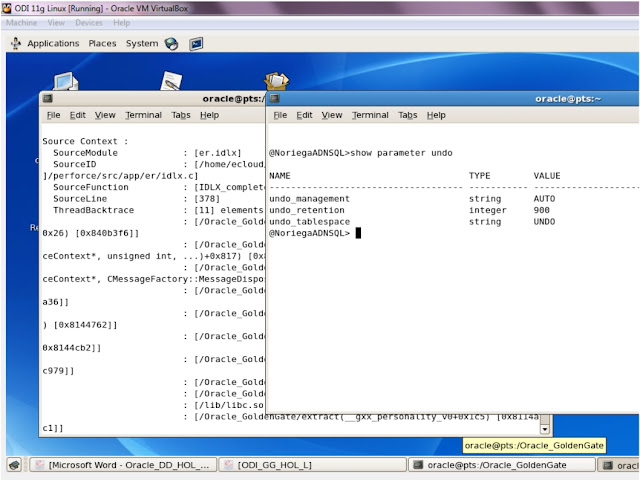
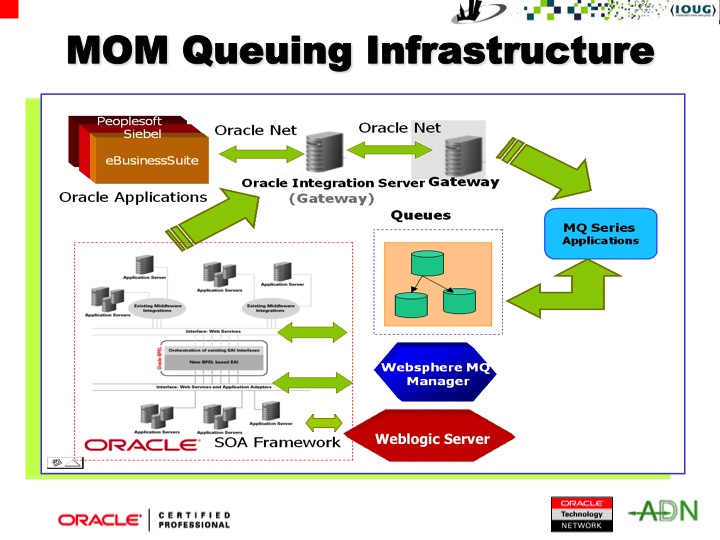
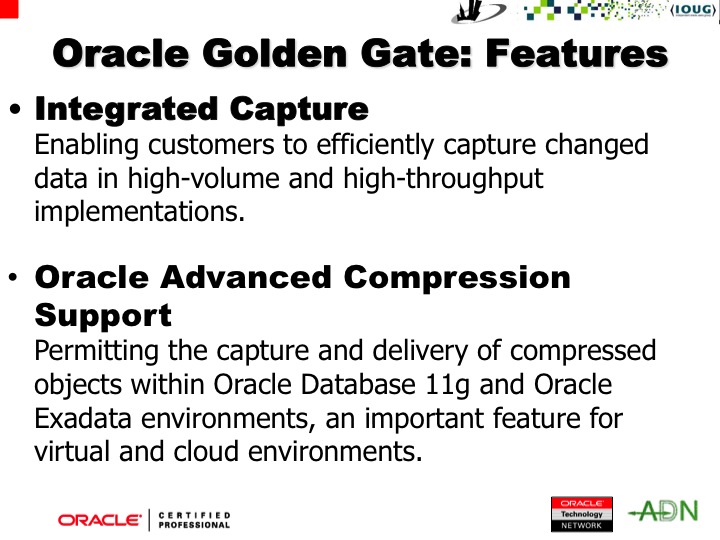
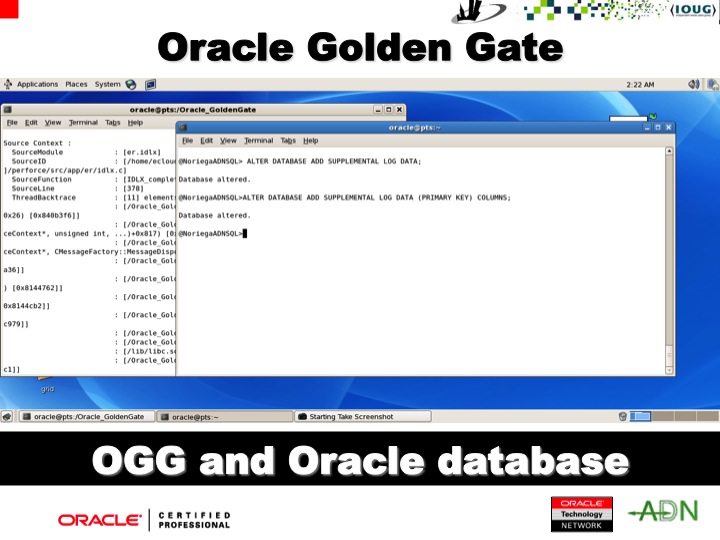
Before, I publish my third and possibly final part on Oracle Flashback technology, I would like to upload the set of slides presented at the recent NYOUG Oracle User's group meeting at Saint John University on September 12, 2012. I dedicated this presentation to Carl Petri, the inventor of Petri Nets, core topic of my doctoral dissertation, who died on July 2, 2010 at age 83.
Translate
Friday, September 14, 2012
Wednesday, August 15, 2012
Oracle 11g Flashback Technology (Part II)
Oracle11g
Flashback (II)
Executive Summary
The second part on this Oracle Flashback Technology white paper focuses on advanced query options with case scenarios and various capabilities useful primarily to the system DBAs, without neglecting the usefulness for both the developers and development DBAs.Use of Oracle Flashback Transaction Query with Oracle Flashback Version Query
In this scenario, the DBA performs the following actions via SQL statements, as shown:DROP TABLE personnel;
CREATE TABLE personnel
(
empid NUMBER PRIMARY KEY,
empname VARCHAR2(16),
salary NUMBER,
comments VARCHAR2(4000)
);
empname VARCHAR2(16),
salary NUMBER,
comments VARCHAR2(4000)
);
INSERT INTO personnel (empid, empname, salary, comments')
VALUES (119, 'Smith', 80000, ,'New employee');
COMMIT;
DROP TABLE dept;
CREATE TABLE dept ( deptid NUMBER, deptname VARCHAR2(32) );
INSERT INTO dept (deptid, deptname)
VALUES (50, 'Finance');
COMMIT;
VALUES (50, 'Finance');
COMMIT;
personnel and dept
have one row each. In terms of row versions, each table has one
version of one row. Suppose that an erroneous transaction deletes
empid 119
from table personnel:SET salary = salary + 15000
WHERE empid = 119;
INSERT INTO dept (deptid, deptname)
VALUES (70, 'IT');
DELETE FROM personnel
WHERE empid = 119;
COMMIT;
Later, a transaction reinserts empid 119 into the personnel table with a new employee name:
INSERT INTO personnel (empid, empname, salary)
VALUES (119, 'Noriega', 100000);
UPDATE personnel
SET salary = salary + 20000
WHERE empid = 119;
COMMIT;
After a careful analysis, the database administrator detects the application error and must diagnose the problem. The database administrator issues this query to retrieve versions of the rows in the
personnel table that correspond to
empid 119. The query uses Oracle
Flashback Version Query pseudo-columns, as shown below:versions_startscn START_SCN,
versions_endscn END_SCN,
versions_operation OPERATION,
empname,
salary
FROM personnel
VERSIONS BETWEEN SCN MINVALUE AND MAXVALUE WHERE empid = 119;
Results are similar to:
XID START_SCN END_SCN O EMPNAME SALARY
---------------- ---------- ---------- - ---------------- ----------
08001100B2300000 210093467 210093487 I Noriega 120000
040002002B220000 210093453 210093457 D Smith 80000
0900120096800000 210093379 210093389 I Smith 80000
3 rows selected.
Indeed, the results table rows are in descending chronological order. The third row corresponds to the version of the row in the table
personnel that was inserted in the table
when the table was created. The second row corresponds to the row in
personnel that the erroneous transaction
deleted. The first row corresponds to the version of the row in
personnel that was reinserted with a new
employee name.The database administrator identifies transaction
040002002B220000
as the erroneous transaction and uses Oracle Flashback Transaction
Query to audit all changes made by this transaction:
SELECT xid,
start_scn,
commit_scn,
operation,
logon_user,
undo_sql
FROM flashback_transaction_query
WHERE xid = HEXTORAW('040002002B220000');
Results are similar to:
XID START_SCN COMMIT_SCN OPERATION LOGON_USER
---------------- ---------- ---------- --------- ------------------------------
UNDO_SQL
--------------------------------------------------------------------------------
040002002B220000 210093453 210093457 DELETE HCM
insert into "HCM"."personnel"("empid","EMPNAME","SALARY",”COMMENTS”) values ('119','Smith','80000', 'New employee');
040002002B220000 210093453 210093457 INSERT HCM
delete from "HCM"."DEPT" where ROWID = 'AAATjuAAEAAAAJrAAA';
...
4 rows selected.
In order to make the result set more readable,
the administrator uses these SQL*Plus commands:COLUMN operation FORMAT A10
COLUMN table_name FORMAT A11
COLUMN table_owner FORMAT A12
SELECT xid,The results would look similar to:start_scn,commit_scn,operation,table_name,table_ownerFROM flashback_transaction_query WHERE table_owner = 'HCM' AND start_timestamp >= TO_TIMESTAMP ('2009-12-31 14:30:00','YYYY-MM-DD HH:MI:SS');
XID START_SCN COMMIT_SCN OPERATION TABLE_NAME TABLE_OWNER
---------------- ---------- ---------- ---------- ----------- ------------
02000E0074200000 210093369 210093377 INSERT DEPT HCM
040002002B220000 210093453 210093457 DELETE PERSONNEL HCM
040002002B220000 210093453 210093457 INSERT DEPT HCM
040002002B220000 210093453 210093457 UPDATE PERSONNEL HCM
…
8 rows selected.
Use of ORA_ROWSCN
A
special Oracle11g Flashback feature is the use of ORA_ROWSCN, which
is a pseudo-column
in any table that is not fixed or external. It represents the SCN of
the most recent change to a given row in the current session; that
is, the most recent COMMIT
operation for the row in the current session. For example:SELECT ora_rowscn,
last_name,
salary
FROM personnel
WHERE empid = 119;
Result is similar to:
ORA_ROWSCN LAST_NAME SALARY
---------- ------------------------- ----------
974322 Smith 80000
Besides, the ORA_ROWSCN pseudo-column can also be used in tables with Virtual Private Databases (VPD) for further control.
Use of ORA_ROWSCN and Tables with Virtual Private Database (VPD)
When a VPD policy is added to a table, it is no longer possible to select theORA_ROWSCN pseudo-column.
However, because ORA_ROWSCN is available
inside the policy function, the DBA can:- Create a function that returns a row SCN
- In the policy predicate function, add a predicate that stores
the row SCN in the context that the function uses while processing
rows. For instance:
||' AND fun_ora_rowscn('||object_name||'.ora_rowscn) = 1'
- Use the function to fetch the row. For example:
SELECT t2.*,fun_get_rowscn(t2.rowid) "ORA_ROWSCN"FROM example_table t2;
Function Used to Return Row SCN from Table that has VPD
-- Creates the context that the function will use when processing rows:
CREATE OR REPLACE FUNCTION fun_ora_rowscn
(p_rowscn IN NUMBER)
RETURN NUMBER
AS
BEGIN
DBMS_SESSION.SET_CONTEXT('STORE_ROWSCN','ROWSCN',p_rowscn);
RETURN 1;
END;
/
CREATE CONTEXT store_rowscn USING fun_ora_rowscn;
-- Creates the function that returns row SCN for each row:
CREATE OR REPLACE FUNCTION fun_get_rowscn
(p_rid IN ROWID)
RETURN VARCHAR2
AS
BEGIN
RETURN sys_context('STORE_ROWSCN','ROWSCN');
END;
/
DBMS_FLASHBACK Package
Both DBAs and developers can use theDBMS_FLASHBACK package, which provides
the same functionality as Oracle Flashback Query, but Oracle
Flashback Query is sometimes more convenient.To use the
DBMS_FLASHBACK package in
the PL/SQL code, the administrator should:- Specify a past time by invoking either
DBMS_FLASHBACK.ENABLE_AT_TIMEorDBMS_FLASHBACK.ENABLE_AT_SYSTEM_CHANGE_NUMBER.
- Perform regular queries (that is, queries without special
flashback-feature syntax such as
ASOF); and not perform DDL or DML operations.
The database is queried at the
specified past time.
- Return to the present by invoking
DBMS_FLASHBACK.DISABLE.
Invoke
To use a cursor to store the results of queries, it is required
for the user to open the cursor before invoking
DBMS_FLASHBACK.DISABLE
before invoking DBMS_FLASHBACK.ENABLE_AT_TIME
or DBMS_FLASHBACK.ENABLE_AT_SYSTEM_CHANGE_NUMBER
again. The DBA cannot nest enable/disable pairs.DBMS_FLASHBACK.DISABLE.
After storing the results and invoking DBMS_FLASHBACK.DISABLE,
it is absolutely possible to:- Perform
INSERTorUPDATEoperations to modify the current database state by using the stored results from the past. - Compare current data with the past data:
- After invoking
DBMS_FLASHBACK.DISABLE, open a second cursor. - Fetch from the first cursor to retrieve past data;
- fetch from the second cursor to retrieve current data.
- Get the difference: A query obtaining the difference between
result sets (before and after states) can be accomplish by storing
the past data in a temporary table utilizing the
MINUSorUNIONto filter the data accordingly.
Oracle11g Flashback provides various features to flashback a transaction with version query, also provides ORA_ROWSCN for all tables that are neither fixed nor external, and the DBMS_FLASHBACK package useful to both developers and DBAs.
Wednesday, July 25, 2012
FLASHBACK TECHNOLOGY IN LIEU OF COMPLEX DATABASE RECOVERY
Oracle11g
Flashback
Executive Summary
Oracle Flashback technology is best suited to attain readiness and preparedness in scenarios such as human errors, and point-in-time database state restore without the need for conventional point-in-time recovery. Most importantly, it can be used to discriminate among backup and recovery planned strategies, including real-time mirroring through which a full database snapshot can actually be restored at any time, with nearly no downtime. Similarly, there is the convenience that this is an Oracle Enterprise Edition provided feature rather than an expensive and more comprehensive mirroring technology with both full snapshot and thing provisioning capabilities, in general, mor customizable and granular than those technologies. Besides, the fact that Oracle Flashback relies significantly on Automatic Undo Management (AUM), as discussed, implies the understanding of that concept as balance between the space provided in UNDO tablespace and the time provided through the UNDO_RETENTION setting in comparison to the actual need of undo resources determined by the effect of transactional workload and relevant duration involved, which is quite different from the traditional MANUAL undo management model which uses a round-robin algorithm instead.
Introduction
Oracle Flashback Technology is a set of features (resources and capabilities) that allow DBAs to reach past states of database objects, including bringing the database objects back to a previous state, without using point-in-time media recovery. Flashback recovery is quite cost effective and convenient in comparison to conventional backup and recovery procedures and operations.
With flashback features, it is possible:
In addition to this, Oracle Database uses undo data to perform these actions:
A developer or DBA would use this feature to retrieve data for an earlier time that he or she specified with the
A DBA or developer could use this feature to retrieve metadata and historical data for a specific time interval (for example, to view the set of rows in a table that ever existed for a given period of time). Metadata for each row version includes start and end time, type of change operation, and identity of the transaction that created the row version. To create an Oracle Flashback Version Query, they would need to use the
A developer or DBA can use this feature to retrieve metadata and historical data for a given transaction or for all transactions in a given time interval; in order to perform an Oracle Flashback Transaction Query, they need to select from the static data dictionary view
Normally, a developer DBA could use this feature to set the internal Oracle Database clock to an earlier time so that the DBA can examine data that was current at that time, or to roll back a transaction and its dependent transactions while the database remains online.
Development DBAs use Flashback Transaction to roll back a transaction and its dependent transactions while the database remains online. This recovery operation uses undo data to create and run the corresponding compensating transactions that return the affected data to its original state.
Development DBAs can utilize the Flashback Data Archive to automatically track and archive both regular queries and Oracle Flashback Query, providing SQL-level access to the versions of database objects without getting the ORA-001555 snapshot-too-old error.
A DBA uses this capability to restore a table to its state at a previous point in time. The DBA can restore a table while the database is on line, undoing changes solely to the specified table.
The DBA utilizes this feature to recover a dropped table. This feature can reverse the effects of a
The DBA can use this feature to quickly return the database to an earlier point in time, by undoing all of the changes that have taken place since then. This occurs rather fast, since the DBA needs not to have database backups restored.
Because undo data for LOB columns can be voluminous, the DBA has to preselect the LOB columns to use with flashback operations.
In order for a DBA to allow access to specific objects during queries, he needs to grant
Grant the
To allow execution of undo SQL code retrieved by an Oracle Flashback Transaction Query, grant
To use the
In order to permit for a specific user to enable Flashback Data Archive on tables, using a specific Flashback Data Archive, the DBA must grant the
Besides, in order to support the execution of these statements, the DBA must isssue a grant of the
To create a default Flashback Data Archive, using either the
To disable Flashback Data Archive for a table that has been enabled for Flashback Data Archive, the user must either be logged on as
Oracle Flashback Query (Using SELECT AS OF)
To begin with, use Oracle Flashback Query, use a
Uses of Oracle Flashback Query include:
The employee record at 7:30PM March 21, 2007
Specify Oracle Flashback Version Query using the
Here is a typical use of Oracle Flashback Version Query:
This statement uses Oracle Flashback Version Query as a subquery to associate each row version with the
Executive Summary
Oracle Flashback technology is best suited to attain readiness and preparedness in scenarios such as human errors, and point-in-time database state restore without the need for conventional point-in-time recovery. Most importantly, it can be used to discriminate among backup and recovery planned strategies, including real-time mirroring through which a full database snapshot can actually be restored at any time, with nearly no downtime. Similarly, there is the convenience that this is an Oracle Enterprise Edition provided feature rather than an expensive and more comprehensive mirroring technology with both full snapshot and thing provisioning capabilities, in general, mor customizable and granular than those technologies. Besides, the fact that Oracle Flashback relies significantly on Automatic Undo Management (AUM), as discussed, implies the understanding of that concept as balance between the space provided in UNDO tablespace and the time provided through the UNDO_RETENTION setting in comparison to the actual need of undo resources determined by the effect of transactional workload and relevant duration involved, which is quite different from the traditional MANUAL undo management model which uses a round-robin algorithm instead.
Introduction
Oracle Flashback Technology is a set of features (resources and capabilities) that allow DBAs to reach past states of database objects, including bringing the database objects back to a previous state, without using point-in-time media recovery. Flashback recovery is quite cost effective and convenient in comparison to conventional backup and recovery procedures and operations.
With flashback features, it is possible:
- Perform queries that return metadata exhibiting a detailed
history of changes to the database
- Perform queries that return past data
- Recover tables or rows to a previous point in time
- Automatically track and archive transactional data changes
- Roll back a transaction and its dependent transactions while
the database remains online
UPDATE
statement to change a retail_price from 2000 to 5000, then Oracle
Database stores the value 2000 as undo data, which is persistent in
database beyond shutdown.In addition to this, Oracle Database uses undo data to perform these actions:
- Roll back active transactions
- Recover terminated transactions by using database or process recovery
- Provide read consistency for SQL queries
Application Development Features
The key application development features, include:
Oracle Flashback Query
A developer or DBA would use this feature to retrieve data for an earlier time that he or she specified with the
AS
OF clause of the SELECT
statement.
A DBA or developer could use this feature to retrieve metadata and historical data for a specific time interval (for example, to view the set of rows in a table that ever existed for a given period of time). Metadata for each row version includes start and end time, type of change operation, and identity of the transaction that created the row version. To create an Oracle Flashback Version Query, they would need to use the
VERSIONS
BETWEEN clause of the SELECT
statement.
Oracle
Flashback Transaction Query
A developer or DBA can use this feature to retrieve metadata and historical data for a given transaction or for all transactions in a given time interval; in order to perform an Oracle Flashback Transaction Query, they need to select from the static data dictionary view
FLASHBACK_TRANSACTION_QUERY.
DBMS_FLASHBACK Package
Normally, a developer DBA could use this feature to set the internal Oracle Database clock to an earlier time so that the DBA can examine data that was current at that time, or to roll back a transaction and its dependent transactions while the database remains online.
Flashback Transaction
Development DBAs use Flashback Transaction to roll back a transaction and its dependent transactions while the database remains online. This recovery operation uses undo data to create and run the corresponding compensating transactions that return the affected data to its original state.
Flashback Data Archive (Oracle Total Recall)
Development DBAs can utilize the Flashback Data Archive to automatically track and archive both regular queries and Oracle Flashback Query, providing SQL-level access to the versions of database objects without getting the ORA-001555 snapshot-too-old error.
Database Administration Features
These flashback features are mainly for data recovery and used normally by a DBA.
Oracle Flashback Table
A DBA uses this capability to restore a table to its state at a previous point in time. The DBA can restore a table while the database is on line, undoing changes solely to the specified table.
The DBA utilizes this feature to recover a dropped table. This feature can reverse the effects of a
DROP
TABLE statement.
Oracle Flashback Database
The DBA can use this feature to quickly return the database to an earlier point in time, by undoing all of the changes that have taken place since then. This occurs rather fast, since the DBA needs not to have database backups restored.
Database Configuration for Oracle Flashback Technology
Planning Flashback configuration is quite important. So, a DBA must first perform the set of configuration tasks for:- Configuring the Database for Automatic Undo Management
- Configuring the Database for Oracle Flashback Transaction Query
- Configuring the Database for Flashback Transaction
- Enabling Oracle Flashback Operations on Specific LOB Columns
- Granting Necessary Privileges
Database Configuration for Automatic Undo Management
In order to configure the database for Automatic Undo Management (AUM), the DBA has to:- Create an undo tablespace (or use an existing one) with
enough space to keep the required data for flashback operations, and
planning on capacity and growth accordingly.
- Enable Automatic Undo Management, setting the following
initialization parameters accordingly:
UNDO_MANAGEMENTUNDO_TABLESPACEUNDO_RETENTION
If the undo tablespace is fixed in size, Oracle Database
automatically tunes the system to give the undo tablespace the best
possible undo retention. Otherwise, if extensible, Oracle Database
retains undo data longer than the longest query duration and the low
threshold of undo retention specified by the UNDO_RETENTIONparameter.
The DBA can query theV$UNDOSTAT.TUNED_UNDORETENTIONview to verify the amount of time for which undo is retained for the current undo tablespace. Further information can also be obtained from theV$UNDOSTAT view.
It is important to understand that settingUNDO_RETENTIONdoes not guarantee that unexpired undo data is not discarded. If the system needs more space, Oracle Database is able to overwrite unexpired undo with more recently generated undo data.
- Specify the
RETENTIONGUARANTEEclause for the undo tablespace to ensure that unexpired undo data is not discarded.
Database Configuration for Oracle Flashback Transaction Query
In order to configure a database for the Oracle Flashback Transaction Query feature, the DBA needs to:- Ensure that Oracle Database is running with version 10.0 compatibility.
- Enable supplemental logging using the statement:
ALTER DATABASE ADD SUPPLEMENTAL LOG DATA;
Database Configuration for Flashback Transaction
To configure the database for the Flashback Transaction feature, the database administrator needs to:- With the database mounted but not open, enable
ARCHIVELOG:
ALTER DATABASE ARCHIVELOG;
- Open at least one archive log:
ALTER SYSTEM ARCHIVE LOG CURRENT;
- If not done, enable minimal and primary key supplemental
logging:
ALTER DATABASE ADD SUPPLEMENTAL LOG DATA; ALTER DATABASE ADD SUPPLEMENTAL LOG DATA (PRIMARY KEY) COLUMNS;
- When tracking foreign key dependencies, enable foreign key
supplemental logging:
ALTER DATABASE ADD SUPPLEMENTAL LOG DATA (FOREIGN KEY) COLUMNS;
If the database contains too many
foreign key constraints, enabling foreign key supplemental logging
may not be worth the performance overhead.
Oracle Flashback Operations on Specific LOB Columns
In order to enable flashback operations on specific LOB columns of a table, the DBA must use theALTER
TABLE statement with the RETENTION
option.Because undo data for LOB columns can be voluminous, the DBA has to preselect the LOB columns to use with flashback operations.
Necessary Privilege Grants
The DBA needs to grant privileges to users, roles, or applications that must use these flashback features.
For Oracle Flashback Query and Oracle Flashback Version Query
In order for a DBA to allow access to specific objects during queries, he needs to grant
FLASHBACK and
SELECT privileges on those objects;
while to allow queries on all tables, he has to grant the FLASHBACK
ANY TABLE
privilege.Grant the
SELECT ANY
TRANSACTION privilege.To allow execution of undo SQL code retrieved by an Oracle Flashback Transaction Query, grant
SELECT,
UPDATE, DELETE,
and INSERT privileges for specific
tables.
For DBMS_FLASHBACK Package
To use the
DBMS_FLASHBACK package, a
grant to EXECUTE privilege on
DBMS_FLASHBACK is required.In order to permit for a specific user to enable Flashback Data Archive on tables, using a specific Flashback Data Archive, the DBA must grant the
FLASHBACK ARCHIVE
object privilege on that Flashback Data Archive to that user.
Likewise, to grant the FLASHBACK ARCHIVE
object privilege, the DBA needs to either be logged on as SYSDBA
or have FLASHBACK ARCHIVE
ADMINISTER system privilege.Besides, in order to support the execution of these statements, the DBA must isssue a grant of the
FLASHBACK
ARCHIVE ADMINISTER
system privilege:CREATEFLASHBACKARCHIVEALTERFLASHBACKARCHIVEDROPFLASHBACKARCHIVE
FLASHBACK ARCHIVE
ADMINISTER system privilege, the
database administrator must be logged on as SYSDBA.To create a default Flashback Data Archive, using either the
CREATE FLASHBACK
ARCHIVE or ALTER
FLASHBACK ARCHIVE
statement, the DBA must be logged on as SYSDBA.To disable Flashback Data Archive for a table that has been enabled for Flashback Data Archive, the user must either be logged on as
SYSDBA or have the FLASHBACK
ARCHIVE ADMINISTER
system
privilege.
Oracle Flashback Query (Using SELECT AS OF)
To begin with, use Oracle Flashback Query, use a
SELECT
statement with an AS OF
clause. Oracle Flashback Query retrieves data as it existed at an
earlier time. The query explicitly references a past time through a
time stamp or System Change Number (SCN). It returns committed data
that was current at that point in time.Uses of Oracle Flashback Query include:
- Simplifying application design by removing the need to store
some kinds of temporal data.
Oracle Flashback Query lets DBAs retrieve past data directly from the database.
- Applying packaged applications, such as report generation
tools, to past data.
- Recovering lost data or undoing incorrect, committed changes.
For instance, if a user mistakenly deletes or updates certain rows, and then commits them, the DBA can immediately undo this human error.
- Comparing current data with the corresponding data at an
earlier time.
For instance, the DBA can run a daily report that shows the change in data from yesterday. Then, the DBA can compare individual rows of table data or find intersections or unions of sets of rows.
- Providing self-service error correction for an application,
therefore enabling users to undo and correct their errors.
- Checking the state of transactional data at a particular time.
Case Study on Examining and Restoring Past Data
Assume that the DBA discovered at 4:30 AM that the row for an employee named Smith was deleted from thepersonnel
table, and he knows that the previous night at 7:30PM the data for
Smith was correctly stored in the database. You can use Oracle
Flashback Query to examine the contents of the table at 7:30 PM to
find out what data was lost. If appropriate, you can restore the lost
data.The employee record at 7:30PM March 21, 2007
Retrieving a Lost Row with Oracle Flashback Query
SELECT *
FROM personnel
AS OF TIMESTAMP
TO_TIMESTAMP('2012-03-21 07:30:00', 'YYYY-MM-DD HH:MI:SS')
WHERE UPPER(last_name) = 'SMITH';
Restoring a Lost Row After Oracle Flashback Query
INSERT INTO personnel
(
SELECT *
FROM personnel
AS OF TIMESTAMP
TO_TIMESTAMP('2012-03-21 07:30:00', 'YYYY-MM-DD HH:MI:SS')
WHERE UPPER(last_name) = 'SMITH'
);
Oracle Flashback Query Guidelines
A DBA can perform the following tasks, namely:
- Specify or omit the
ASOFclause for each table and specify different times for different tables.
- Use the
ASOFclause in queries to perform data definition language (DDL) operations (such as creating and truncating tables) or data manipulation language (DML) statements (such asINSERTandDELETE) in the same session as Oracle Flashback Query.
- Use the result of Oracle Flashback Query in a DDL or DML
statement that affects the current state of the database, use an
ASOFclause inside anINSERTorCREATETABLEASSELECTstatement.
- If a possible 3-second error (maximum) is important to Oracle
Flashback Query in your application, use an SCN instead of a time
stamp.
- Create a view that refers to past data by using the
ASOFclause in theSELECTstatement that defines the view.
If the DBA specifies a relative time by subtracting from the current time on the database host, the past time is recalculated for each query. For instance:
CREATE VIEW v_personnel_past_hour AS SELECT * FROM personnel AS OF TIMESTAMP (SYSTIMESTAMP - INTERVAL '60' MINUTE);
- The DBA can use the
ASOFclause in self-joins, or in set operations such asINTERSECTandMINUS, to extract or compare data from two different times.
You can store the results by preceding Oracle Flashback Query with aCREATETABLEASSELECTorINSERTINTOTABLESELECTstatement. For instance, this query reinserts into tablepersonnelthe rows that existed an hour ago:
INSERT INTO personnel ( ( SELECT * FROM personnel AS OF TIMESTAMP (SYSTIMESTAMP - INTERVAL '60' MINUTE) ) MINUS SELECT * FROM personnel );
Oracle Flashback Version Query
DBAs can use Oracle Flashback Version Query to retrieve the different versions of specific rows that existed during a given time interval. A row version is created whenever aCOMMIT
statement is executed.Specify Oracle Flashback Version Query using the
VERSIONS BETWEEN
clause of the SELECT statement. The
syntax is:VERSIONS {BETWEEN {SCN | TIMESTAMP} start AND end}
where start and end
are expressions representing the start and end, respectively, of the
time interval to be queried. The time interval includes (start
and end).
Oracle Flashback Version Query Row Data Pseudocolumns
Here is a typical use of Oracle Flashback Version Query:
SELECT versions_startscn,
versions_starttime,
versions_endscn,
versions_endtime,
versions_xid,
versions_operation,
last_name, salary
FROM personnel
VERSIONS BETWEEN TIMESTAMP
TO_TIMESTAMP('2007-03-21 19:30:00', 'YYYY-MM-DD HH24:MI:SS')
AND TO_TIMESTAMP('2007-03-22 04:30:00', 'YYYY-MM-DD HH24:MI:SS')
WHERE first_name = 'Anthony';
Oracle Flashback Transaction Query
DBA can use Oracle Flashback Transaction Query to retrieve metadata and historical data for a given transaction or for all transactions in a given time interval. Oracle Flashback Transaction Query queries the static data dictionary viewFLASHBACK_TRANSACTION_QUERY,
whose columns are described in Oracle Database Reference. The column
UNDO_SQL shows the SQL code that is the
is the logical opposite of the DML operation performed by the
transaction. The following statement queries the
FLASHBACK_TRANSACTION_QUERY view for
transaction information, including the transaction ID, the operation,
the operation start and end SCNs, the user responsible for the
operation, and the SQL code that shows the logical opposite of the
operation:SELECT xid,
operation,
start_scn,
commit_scn,
logon_user,
undo_sql
FROM flashback_transaction_query
WHERE xid = HEXTORAW('000400070000004F');
This statement uses Oracle Flashback Version Query as a subquery to associate each row version with the
LOGON_USER
responsible for the row data change:
SELECT xid,
logon_user
FROM flashback_transaction_query
WHERE xid IN ( SELECT versions_xid
FROM personnel
VERSIONS BETWEEN
TIMESTAMP TO_TIMESTAMP('2007-03-21 19:30:00', 'YYYY-MM-DD HH24:MI:SS')
AND TO_TIMESTAMP('2007-03-22 04:30:00', 'YYYY-MM-DD HH24:MI:SS') );
Concluding Remarks
It is important to understand the relevance of appropriate settings for Automatic Undo Management (AUM) to attain preparedness and readiness in the event that an Oracle Flashback can take place accordingly without any issues, from which some possible scenarios will be discussed in the next edition of this blog series. Understanding Oracle Flashback Technology allows DBAs to attain good log Flashback mining skills practical in a dynamic recovery or business process strategy.
logon_user
FROM flashback_transaction_query
WHERE xid IN ( SELECT versions_xid
FROM personnel
VERSIONS BETWEEN
TIMESTAMP TO_TIMESTAMP('2007-03-21 19:30:00', 'YYYY-MM-DD HH24:MI:SS')
AND TO_TIMESTAMP('2007-03-22 04:30:00', 'YYYY-MM-DD HH24:MI:SS') );
Concluding Remarks
It is important to understand the relevance of appropriate settings for Automatic Undo Management (AUM) to attain preparedness and readiness in the event that an Oracle Flashback can take place accordingly without any issues, from which some possible scenarios will be discussed in the next edition of this blog series. Understanding Oracle Flashback Technology allows DBAs to attain good log Flashback mining skills practical in a dynamic recovery or business process strategy.
Friday, July 20, 2012
On Oracle Engineered Systems and Appliances
A Dossier
to Customizing
New Oracle Systems
The following is an excerpt from an on-going independent review on Oracle engineered systems and appliances.
Providing an expert and custom DBA
guide on how to match and optimize computing, storage networking and
networking resources on Oracle Sun productline is a task that
requires product knowledge and extensive experience on Oracle and Sun
productline and expertise with an objective and independent
perspective. Enhancing the matched resources and capabilities,
whether you use a comprehensive middleware, extensive virtualization,
or emerging files systems technologies such as Hadoop HDFS, and
underlying technologies such as partitioning and Hybrid Column
Compression (HCC), you have the opportunity to analyze, establish,
and further research an expert's opinion with a different viewpoint
with a comparable potential for a successful infrastructure and
implementation for optimal performance, reliability and availability,
and subsequent deployment.
Certainly, it is time for a major
investment on information technology to walk on the cloud. It is time
for a change! Thus, providing a custom independent guide to match and
optimize the use of Oracle Sun systems including appliances,
high-availability, and storage networking solutions with respect to
OLTP or Datawarehousing and Business Intelligence Solutions, with an
futuristic view on technologic sustainability and predictable
economic trends.
If you information technology
infrastructure hinders a focus upon datawarehousing, there are
various solutions all of which could meet the DBA desires to have the
best storage, storage networking and main computing resources, such
as CPU power, enough RAM memory, and high quality flash and solid
state storage (SSS) with convenient capabilities to attain the
optimal custom solution. Whether you are looking at Exadata, the
Oracle Database Appliance, the NoSQL Appliance, or the Oracle ZFS
Storage Appliance as a potential solution, your investment will pay
back on reliability and performance for the next years, opening a
door to an easy upgrades to new version, editions, and the next
generations of database technologies. Exalogic is appropriate to
attain the perfect middleware goals, and Exalytics can drive the
appropriate built-in resources to attain the best desirable outcome
for business intelligence, data mining, data discovery, and analytics
in general. The implementation of in-memory database machines, with
Oracle SQL or NoSQL, enhances the ability to integrate with new file
systems, such as Hadoop HDFS and the ability to implement associate
mapsets and derive intelligent reports. The amount of hardware
resources customizing high-end resources at any level, and the
ability to leverage those resources for the best return on investment
(ROI) and extended return on assets (ROA) at the lowest possible
total cost of ownership (TCO) in today's market.
Because, these appliance and engineered
systems have been designed to work together both CAPEX (Capital
Expenditure, i.e., investment) and OPEX (Operational Expenditure) are
significantly optimal in today's information technology market.
The same remarks could be applicable to
online transaction processing (OLTP) systems, where the Exadata
database machine and the Oracle Appliance can provide a significant
level de customization for a dedicated or hybrid purpose.
In general, companies regardless of its
size can successfully consider an important investment in IT at the
moment, which could bring this sector to its best moment in ten
years, and have more confidence than ever that their ROI.
In essence, what is important is to
plan a recommended acquisition quite ahead of time, considering,
importance concerns such as capacity (memory and storage), and for
each one customize every technology available; as such for the
former, what amount of conventional RAM and flash memory will be
required, so you could decide on a quarter, half or full Exadata
machine; or customize your RAC on a third-party hybrid solution
choosing the appropriate Solid State Storage (SSS) technology, but
always looking about the convenience of systems that are engineered
to work together; likewise, for the latter, carefully research what
are your options for secondary storage (e.g. the ZFS Storage
Appliance) and tertiary storage (e.g., tape libraries), including
customizable archiving models. In terms of storage capacity, Exadata
has the ability to easily expand and interconnect the enhanced
machines storage networking via Infiband, the fastest and most
flexible provding the best bandwith as well. On the other hand, processor
power is no longer the only main factor in attaining optimal database
performance, and architects, DBA, IT Managers, and other influencers
or recommenders need to look at a variety of factors before a final
decision is made. There will be plenty of time to make a decision.
Exadata Machine X.2-8
Currently, the most powerful and scalable machine with capabilities for both datawarehousing and OLTP databases with leading TPC-H and TPC-C benchmarks.
Exadata Machine X.2-2
Exadata X.2-2 is the traditional Oracle database machine solution, most widely used in the market. The Exadata machines can be either expanded through an Expansion Rack and several machines can be networked through Infiniband.

Exadata X.2-2 is the traditional Oracle database machine solution, most widely used in the market. The Exadata machines can be either expanded through an Expansion Rack and several machines can be networked through Infiniband.

Oracle Database Appliance
RAC
Although it is predicted that Oracle Database Appliance will take over a good percent of RAC's market, it is also predicted that many customers will still customize their RAC ground up to meet certain business process model requirements or simply to perform in-house tasks such as security customization.
STORAGE
There is a need to categorize storage into primary, secondary, and tertiary; and determine whether a bounded, resilient archiving model is required to attain automation.
Oracle Sun Servers
Companies that wish to customize database solutions from ground up with native OS, and build their own virtualization environment, either bare-metal or on top of the native OS-layer can do so as well.
Subscribe to:
Posts (Atom)